
Operating system
Windows 10 / 11, macOS (Intel + Apple Silicon),
or Linux (x86_64 / arm64).
Browy is two pieces:
Install the extension from the Chrome Web Store, then run the one-line installer for the native host.
Operating system
Windows 10 / 11, macOS (Intel + Apple Silicon),
or Linux (x86_64 / arm64).
Browser
A Chromium browser:
Chrome 114+, Edge 114+, or Brave.
LLM access
A GitHub Copilot subscription.
Browy uses your existing Copilot.
Pin the Browy toolbar icon so the side panel is one click away.
Open PowerShell and run:
irm https://github.com/BrowyHQ/browy/releases/latest/download/install.ps1 | iexThe installer will:
%LOCALAPPDATA%\Browy\app\com.browy.host with Chrome / Edge / Brave (pre-approves both the Web Store and unpacked extension IDs)%USERPROFILE%\Downloads\Browy-Extension\ for sideload installsOpen Terminal and run:
curl -fsSL https://github.com/BrowyHQ/browy/releases/latest/download/install.sh | bashThe installer will:
~/.browy/app/com.browy.host with Chrome / Edge / Brave (pre-approves both the Web Store and unpacked extension IDs)~/Downloads/Browy-Extension/ for sideload installsOpen a terminal and run:
curl -fsSL https://github.com/BrowyHQ/browy/releases/latest/download/install.sh | bashThe installer will:
x86_64 or aarch64) and download the matching tarball (~133 MB)~/.browy/app/com.browy.host with Chrome / Edge / Brave (writes to ~/.config/<browser>/NativeMessagingHosts/, pre-approves both extension IDs)~/Downloads/Browy-Extension/ for sideload installsClick the Browy icon to open the side panel. The first time you use it, Browy will prompt you to sign in.
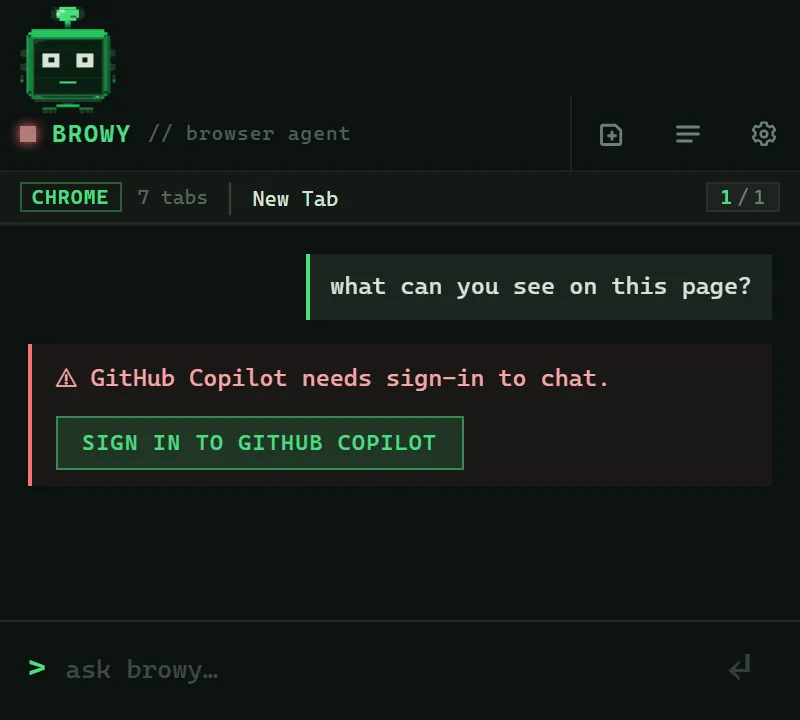
A terminal window opens with the GitHub Copilot device-flow link. Paste the code into the URL it shows, authorize Browy in your browser, and the terminal closes itself.
You’re done. Try your first chat.
Re-run the installer. It detects your existing install and updates in place.
irm https://github.com/BrowyHQ/browy/releases/latest/download/install.ps1 | iexcurl -fsSL https://github.com/BrowyHQ/browy/releases/latest/download/install.sh | bashThen reload the extension in chrome://extensions/ (the circular ↻
icon on the Browy card).
chrome://extensions/%LOCALAPPDATA%\Browy\ and %USERPROFILE%\.browy\%LOCALAPPDATA%\Google\Chrome\User Data\NativeMessagingHosts\com.browy.host.json
(and the equivalent under Edge / Brave folders)chrome://extensions/~/.browy/app/uninstall.sh && rm -rf ~/.browy ~/Downloads/Browy-Extension~/Library/Application Support/Google/Chrome/NativeMessagingHosts/
(and the equivalent for Edge / Brave).chrome://extensions/~/.browy/app/uninstall.sh && rm -rf ~/.browy ~/Downloads/Browy-Extension~/.config/google-chrome/NativeMessagingHosts/ (and the equivalent
for Edge / Brave).