
Where you already are
Inspect the DOM, check the network panel, then ask the agent something, without leaving DevTools.
The Browy extension registers a DevTools panel that hosts a terminal-style REPL for the agent. Open Chrome DevTools on any page, click the Browy tab, and you get the same agent that runs in the side panel, with a CLI instead of a chat bubble.
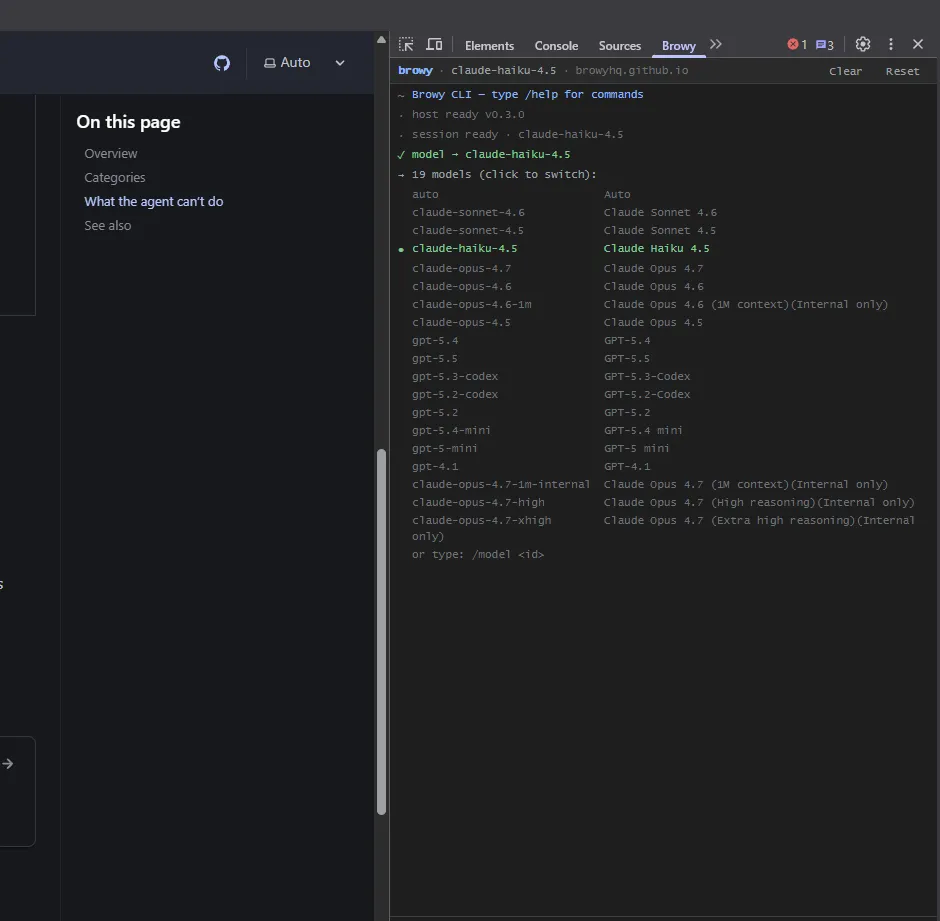
/model open.Where you already are
Inspect the DOM, check the network panel, then ask the agent something, without leaving DevTools.
Terminal feel
Slash commands, history, autocomplete, Ctrl+L to clear, Esc
to cancel. If you’ve used gh copilot it’ll feel obvious.
Per-tab session
Each DevTools panel is tied to the tab it was opened on. Open one per tab to run separate agents in parallel.
Same agent
Same backend, same tools, same session store as the side panel, including the page snapshots, click/type tools, and network log.
Type / to autocomplete. Aliases: /? → /help, /models → /model.
| Command | What it does |
|---|---|
/help | Show all available commands |
/clear | Clear the scrollback (also Ctrl+L) |
/new | Start a new conversation |
/reset | Abandon this session and start fresh |
/cancel | Cancel the in-flight agent turn (also Esc) |
/sessions | List recent chat sessions |
/copy | Copy the last response to clipboard |
/export | Download the scrollback as a .txt file |
/history | Show recent input history |
| Command | What it does |
|---|---|
/model | Show current model + open the live picker |
/model <id> | Switch model directly, e.g. /model claude-haiku-4.5 |
/login | Trigger the GitHub Copilot device-flow sign-in |
These run locally in DevTools and don’t go through the model.
| Command | What it does |
|---|---|
/url | Print the inspected page URL |
/title | Print the inspected page <title> |
/tabs | List open browser tabs (click a row to switch) |
/snapshot | Quick page summary (title, URL, headings) |
/dom <selector> | querySelectorAll summary for a CSS selector |
/eval <expr> | Eval JavaScript in the inspected page |
/js | Toggle a JS REPL mode: every line is evaluated in the inspected page until you /js again |
| Command | What it does |
|---|---|
/theme [auto|dark|light] | Set the panel theme |
/version | Show version info |
/feedback | Open the feedback page on GitHub |
/exit | Close-this-panel hint (close DevTools to actually exit) |
Models the picker exposes today (subject to your Copilot subscription):
claude-sonnet-4.6, claude-sonnet-4.5, claude-haiku-4.5,
claude-opus-4.7, claude-opus-4.6, claude-opus-4.5gpt-5.5, gpt-5.4, gpt-5.3-codex, gpt-5.2-codex,
gpt-5.4-mini, gpt-5-mini, gpt-4.1auto selector that lets Copilot pickThe model badge in the toolbar always shows the active choice.
| Key | Action |
|---|---|
Enter | Send |
Shift+Enter | Newline in the prompt |
Esc | Cancel an in-flight request |
Ctrl+L | Clear the log |
↑ / ↓ | Browse prompt history (when the input is empty) |
/ then Tab | Autocomplete a slash command |
| If you want… | Use… |
|---|---|
| A persistent chat next to the page, with screenshots inline | Side panel |
| To stay focused inside DevTools, run quick agent prompts against the inspected target | DevTools CLI |
| Multiple parallel agent sessions, one per inspected tab | DevTools CLI (open DevTools on each tab) |
| To pair-program with the agent on a feature | DevTools CLI + bash tool enabled in Settings |
Tracked in the open on the GitHub project board.